







ProductsDesktop toolsTASTECADDrawing reviewTASTEFILESFile managementTASTEFTPFile transferTASTESSHRemote workspaceTASTEZIPCompression and extractionTASTEWINMFile managementDeveloper toolsTASTECODERust integrated development environmentTASTESTUDIOIntegrated development and test environmentTASTEETLData integration (ETL)ServersTASTEREMOTERemote desktop serverTASTEGEOGeospatial serverTASTEMAILMail workspaceInvestingTASTESTOCKStock auto-trading desktop appGet startedDownloadsDocumentationBuyAll products
Marketplace
News
TechNewsToday's dev newsDeveloper docsProgramming languagesRustTypeScriptJavaScriptPythonGoC#JavaCC++KotlinDartWeb front-end frameworksNext.jsReactVue.js · NuxtSvelteKitAngularServer frameworksSpring BootDjangoFastAPIASP.NET CoreNestJS · ExpressApp & desktop frameworksTauriFlutterReact NativeElectronAlgorithmsAlgorithm basicsCore algorithmsAdvanced algorithmsPractical algorithms
CommunityProjectsDevelopment logsPromptsAI tool issuesShowcaseCommunity guide
Work with usTech transferWebsite buildDesktop app buildRelease and payment pipelineSales partnerContact
ServicesRemote desktopCustom installer packages
TASTEDEV
Products

Desktop tools

TASTECADComplex drawings, opened with easeTASTEFILESJust the files you need, as fast as possibleTASTEFTPThe tidiest path for your filesTASTESSHA stronger link between you and your serversTASTEZIPPack faster, unpack saferTASTEWINMA keyboard-first file manager with two panes

Developer tools

TASTECODEEdit, build, debug and test Rust apps in one windowTASTESTUDIOFrom editing to remote tests and approved AI fixesTASTEETLMove data while you watch the values

Servers

TASTEREMOTEA remote desktop you run on your own serverTASTEGEORebuilding a GeoServer-compatible geospatial server in RustTASTEMAILTake back control of your email

Investing

TASTESTOCKStock auto-trading that follows the rules you set: when, and what

Get started

DownloadsLatest builds of every productDocsHow to use each productBuySubscriptions and perpetual licencesAll productsEvery product at a glance
All products
MarketplaceNews
Tech

News

Today's dev newsOfficial announcements on languages, frameworks, GitHub and AIDeveloper docsGuides to languages, frameworks and algorithms

Programming languages

RustTypeScriptJavaScriptPythonGoC#JavaCC++KotlinDart

Frameworks

Web front-end frameworksNext.jsReactVue.js · NuxtSvelteKitAngular
Server frameworksSpring BootDjangoFastAPIASP.NET CoreNestJS · Express
App & desktop frameworksTauriFlutterReact NativeElectron

Algorithms

Algorithm basicsComplexity analysis · Sorting · Searching · Basic data structures · Trees and heapsCore algorithmsGraph traversal · Shortest paths & minimum spanning trees · Dynamic programming · Greedy algorithms · Divide and conquer · BacktrackingAdvanced algorithmsString algorithms · Math and number theory · Bit manipulation · Segment trees · Union-findPractical algorithmsCoding interview strategy · LRU cache · Rate limiting · Consistent hashing
All development docs
Community
ProjectsDiscover builders and their workDevelopment logsDecisions and lessons learnedPromptsReusable instructionsAI tool issuesProblems and workarounds for Claude, Codex, GeminiShowcaseFinished resultsCommunity guideHow we build in the open
Work with us
Tech transferNative apps in Rust and eguiWebsite build10 languages, accounts, docs and downloadsDesktop app buildRust and egui, no WebViewRelease and payment pipelineSigning, MSI, deb, rpm, AppImage, hashesSales partnerRecommend us and earn 30%ContactBuilds, partnerships and investment
Services
Remote desktopReach your computer from a browserCustom installer packagesOnly the features you need, settings preloaded
Buy
EN
한국어EnglishDeutschEspañolFrançaisItalianoPortuguês (Brasil)日本語简体中文繁體中文
Log in
Log in
TASTEDEV

From small tools to better development.

support@tastedev.netSupport TASTEDEV
ProductsProduct lineupBuyDocsDownloadsMarketplaceSupport
CommunityProjectsDevelopment logsPromptsAI tool issuesShowcase
PoliciesAbout usPrivacy policyTerms of serviceSubscription termsRefund policyCommunity guidelines
AccountLog inSign up
Visitors
Today
Yesterday
Total views
Company
GXSOFT
Representative
CHOI YOUNG GU
Business registration number
853-44-00368
Address
9F V24, 351 Gyeongin-ro, Michuhol-gu, Incheon, Republic of Korea
Phone
+82-10-4404-1523
Email
whitecalvin@tastedev.net
Privacy officer
CHOI YOUNG GU

© 2026 TASTEDEVProduct information is based on verified development sources.Released · improving

All products/Developer tools

TASTECODE

Edit, build, debug and test Rust apps in one window

A Rust integrated development environment that opens cargo workspaces and Tauri apps the way Visual Studio does, for editing, building, breakpoint debugging, testing and even egui screen design.
View download files

Other platforms and verification details

Signed by GXSOFT

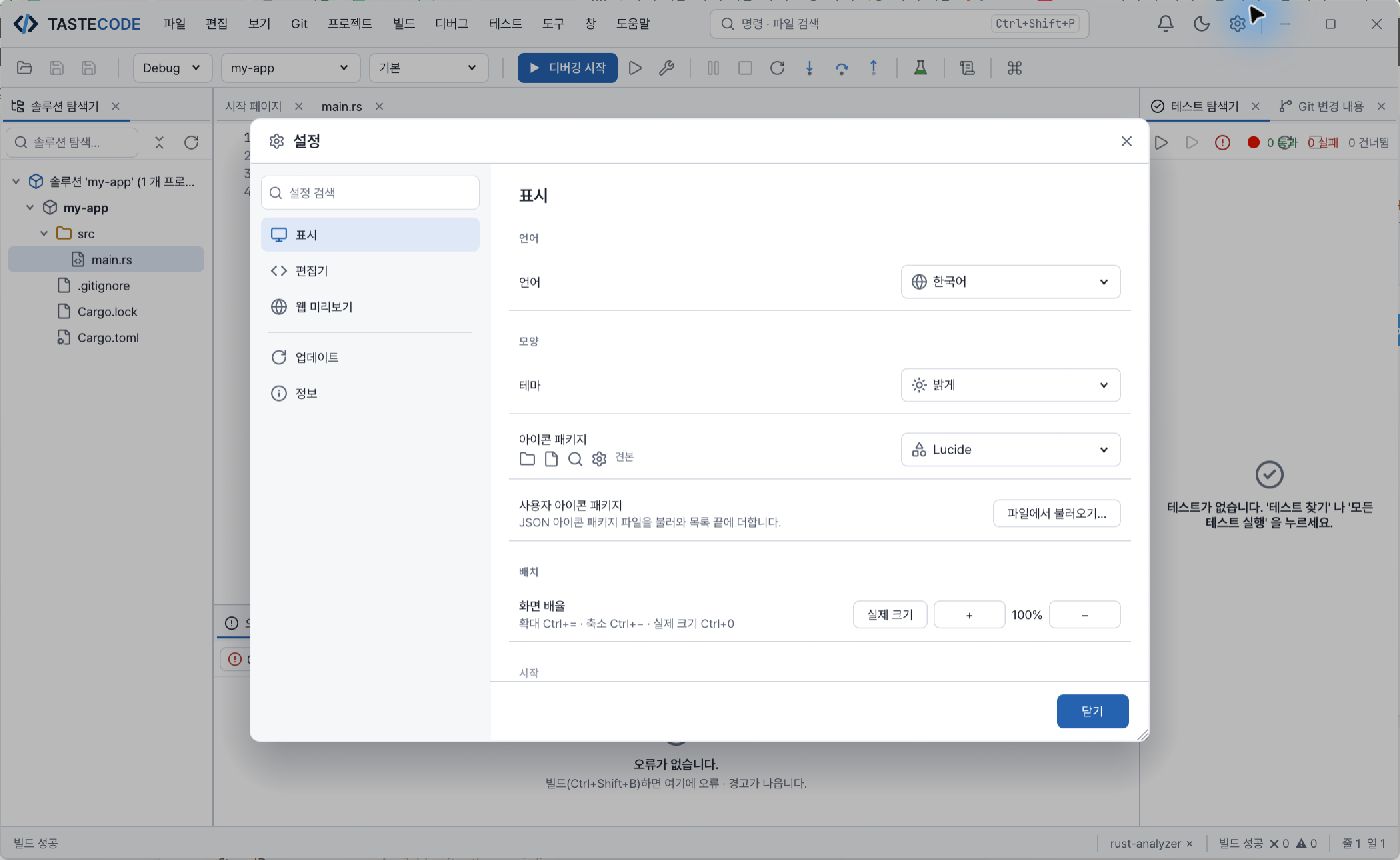
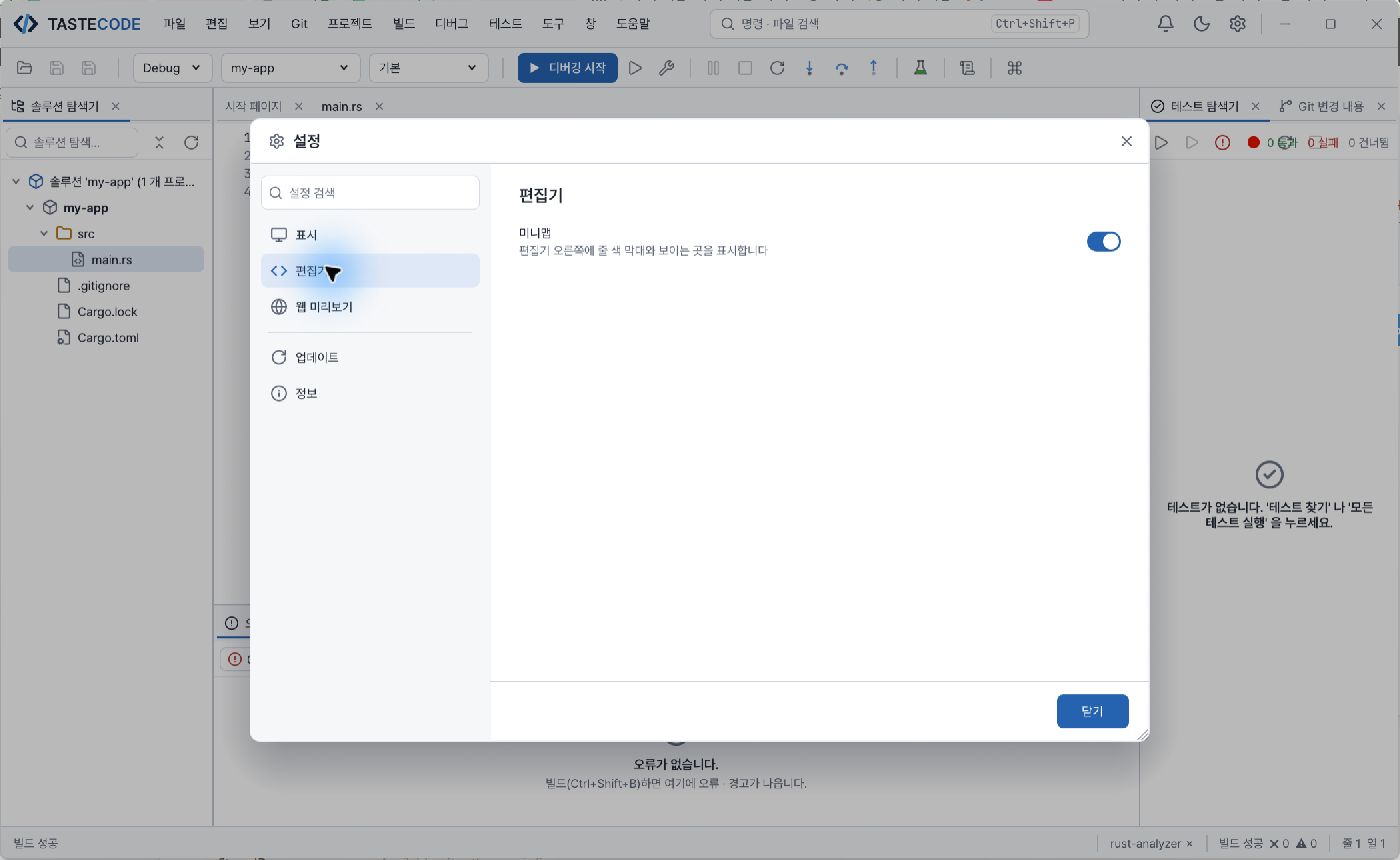
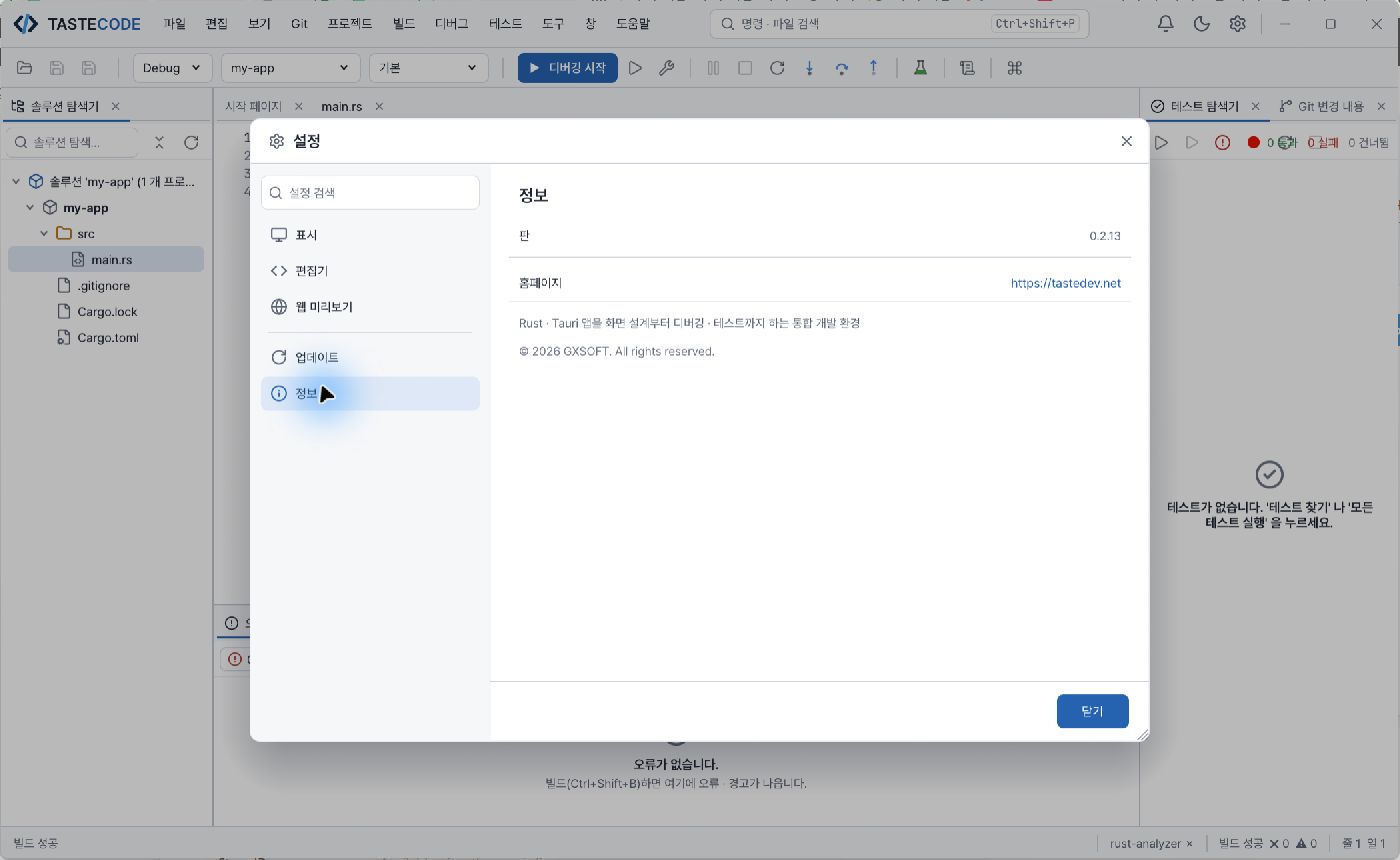
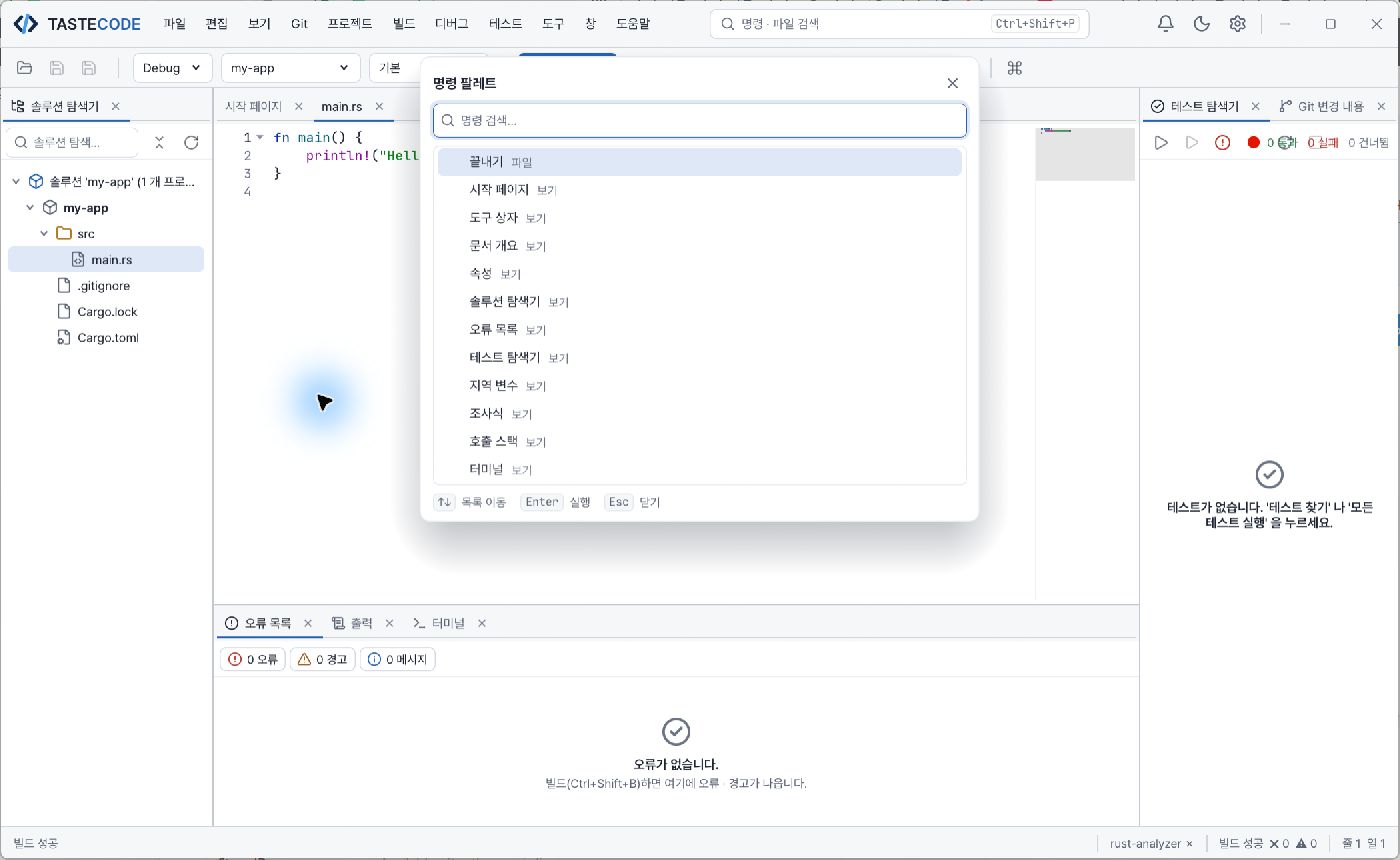
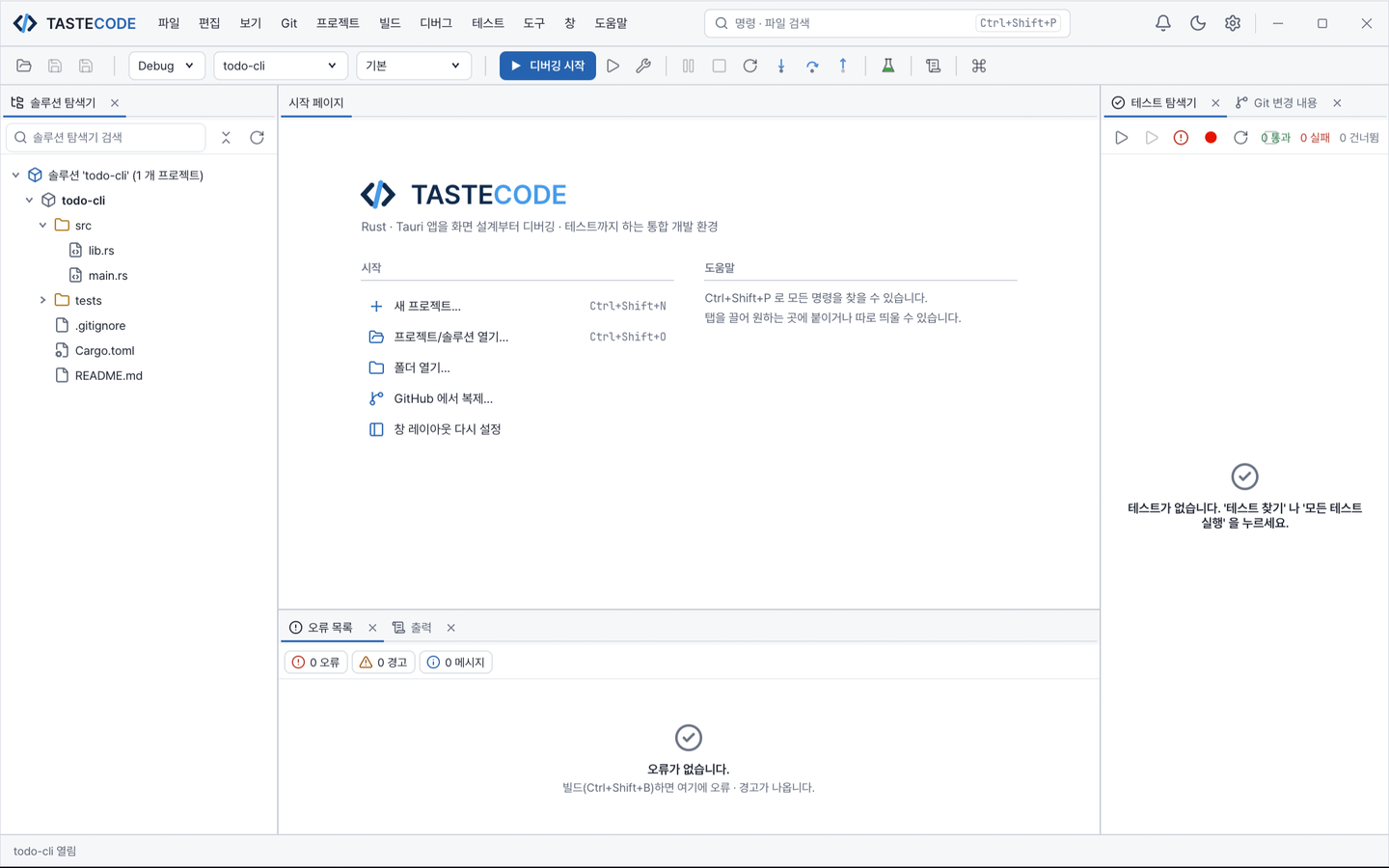
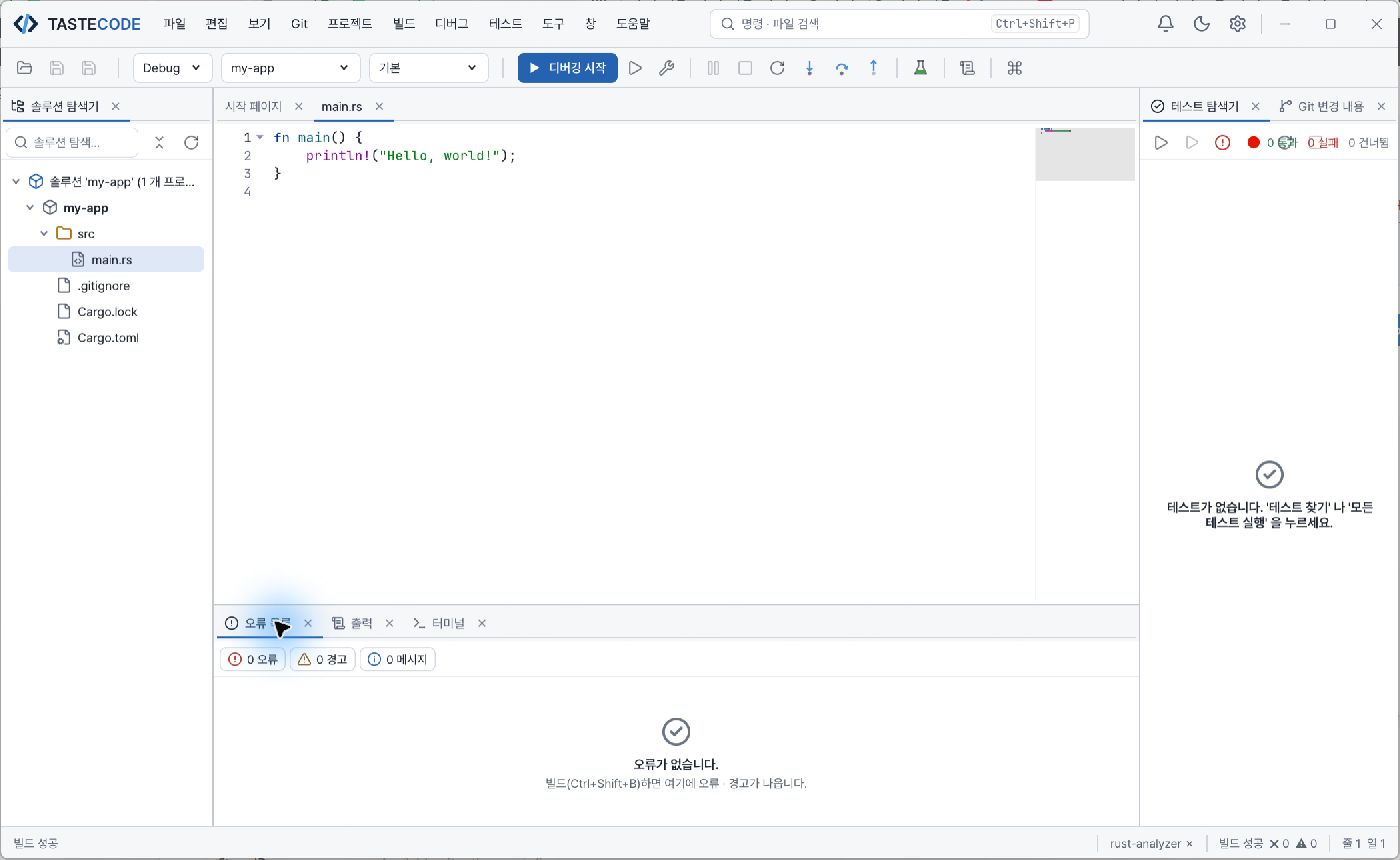
TASTECODE · Product screens 1TASTECODE · Product screens 2TASTECODE · Product screens 3TASTECODE · Product screens 4TASTECODE · Product screens 5TASTECODE · Product screens 6
1 / 6
Captured from the app. Select an image to see it at full size.
OverviewFeaturesDownloadFeedbackDocsReleased · improving150 downloads · Cheer 1

Edit, build, debug and test Rust apps in one window

TASTECODE is an integrated development environment built with Rust and egui. Open a cargo workspace folder and it treats packages as projects and binaries as startup projects. rust-analyzer provides diagnostics, auto-completion, go to definition and rename, and cargo build diagnostics are gathered in the Error List. With the lldb-dap debugger you get conditional breakpoints, stepping, locals and watches, and String, Vec and enum values are shown in a readable form. Run tests from the Test Explorer or pick a single one to run under the debugger, and draw screens with the egui form designer to generate code. Tauri v2 apps can be run in development, built and debugged on the Rust side, and Git changes and an integrated terminal are in the same window. It runs on Windows and Linux.

  • A cargo workspace is treated like a Visual Studio solution, so you never switch windows from editing to debugging.
  • As a native app built with Rust and egui, it draws only the visible lines, so even files tens of thousands of lines long open without strain.
  • The build, rust-analyzer and the debugger use the same toolchain and the same build settings, so nothing is rebuilt in between.
  • Tools you have already installed, such as Git, cargo and rustfmt, are called as they are, so your credentials and settings stay unchanged.
Approved product visual for TASTECODE

What it does

Solution Explorer and editor

Shows packages, folders and files from cargo metadata and opens them in an editor with syntax highlighting, multiple cursors, folding, bracket matching, a minimap, split windows and Find in Files.

IntelliSense

rust-analyzer gives you diagnostics as you type, hover tooltips, go to definition, auto-completion, Find All References, rename and rustfmt formatting. TypeScript, HTML and CSS language servers can be attached too.

Build and Error List

Run Build Solution, Rebuild, cargo check and Clippy, and gather the JSON diagnostics in the Error List; click one to jump to that line.

Debugger

With lldb-dap, use breakpoints (including conditional ones), stepping, the call stack, locals, watches and the Immediate window, and hover over a variable while paused to see its value.

Test Explorer

In a test tree organised by package and target, run all, selected or only failed tests, and run a chosen test under the debugger to stop at its breakpoints.

Run profiles

Each profile sets the startup target, command-line arguments, environment variables, working folder and cargo features, so you can run the same project in different ways, for example as a GUI or a CLI.

egui form designer

Draw egui screens with the Toolbox, Document Outline and Properties window, and saving generates Rust code and an event file. In the preview, the form actually works.

Tauri apps

Open a Tauri v2 app to run it in development, build it and check the installer, and set breakpoints in #[tauri::command] functions to debug the Rust side.

Git and terminal

Stage, commit, push and view diffs in the Git Changes window, with changed lines marked in the editor margin. The integrated terminal is a real pseudo-terminal, so even full-screen programs run.

Check the evidence right next to the files.

We only show the version, platform, file size, signature status, and SHA-256 verified in the current manifest.

Downloads

Use it for work like this.

  • Editing, building and debugging a cargo workspace project in one window
  • Picking out a single failed test and finding the cause with the debugger
  • Drawing an egui screen and turning it into Rust code
  • Setting breakpoints in the Rust commands of a Tauri app

Learn more

  • Product docs
  • Official project
  • Marketplace
  • Public repository

Ideas & bug reports

Tell us about problems you hit in TASTECODE or features you'd like. Everyone can read them, and TASTEDEV posts the status and a reply.

Bug reportIdeaView all

Nothing has been posted yet.

Tools for other tasks.

View all products
TASTESTUDIOFrom editing to remote tests and approved AI fixesTASTEETLMove data while you watch the valuesTASTECADComplex drawings, opened with easeTASTEREMOTEA remote desktop you run on your own serverTASTEGEORebuilding a GeoServer-compatible geospatial server in RustTASTEFILESJust the files you need, as fast as possibleTASTEFTPThe tidiest path for your files
TASTEMAILTake back control of your email
TASTESSHA stronger link between you and your servers
TASTEZIPPack faster, unpack safer
TASTESTOCKStock auto-trading that follows the rules you set: when, and what
TASTEWINMA keyboard-first file manager with two panes

TASTECODE 0.2.46Published 2026-11-25

Windows

Signed by GXSOFT3 packages

EXE

Setup wizard

x64 · 14.2 MB

Download

MSI

Windows Installer · for managed deployment

x64 · 19.4 MB

Download

ZIP

Extract and run

x64 · 19.0 MB

Download

Linux

Signed by GXSOFT7 packages

AppImage

Runs without installing

x64 · 20.2 MB

Download

AppImage

Runs without installing

arm64 · 19.5 MB

Download

DEB

Debian · Ubuntu

x64 · 15.7 MB

Download

DEB

Debian · Ubuntu

arm64 · 13.2 MB

Download

macOS

Signed by GXSOFT1 package

DMG

Disk image

arm64 · 18.6 MB

Download

Comments and questions

Share feedback, questions, or your experience with the product. For bug reports, please use support.

150 downloads
Cheer 1 Follow · 1Share on XShare on LinkedInShare on Facebook

No feedback yet. Be the first to leave a review.

Log in to leave feedback.

RPM

Fedora · RHEL · Rocky Linux

x64 · 15.7 MB

Download

TAR.GZ

Extract and run

x64 · 21.0 MB

Download

TAR.GZ

Extract and run

arm64 · 20.3 MB

Download