






ProductsDesktop toolsTASTECADDrawing reviewTASTEFILESFile managementTASTEFTPFile transferTASTESSHRemote workspaceTASTEZIPCompression and extractionDeveloper toolsTASTECODERust integrated development environmentTASTESTUDIOIntegrated development and test environmentTASTEETLData integration (ETL)ServersTASTEREMOTERemote desktop serverTASTEGEOGeospatial serverTASTEMAILMail workspaceGet startedDownloadsDocumentationBuyAll products
Marketplace
News
TechNewsToday's dev newsDeveloper docsProgramming languagesRustTypeScriptJavaScriptPythonGoC#JavaCC++KotlinDartWeb front-end frameworksNext.jsReactVue.js · NuxtSvelteKitAngularServer frameworksSpring BootDjangoFastAPIASP.NET CoreNestJS · ExpressApp & desktop frameworksTauriFlutterReact NativeElectronAlgorithmsAlgorithm basicsCore algorithmsAdvanced algorithmsPractical algorithms
CommunityProjectsDevelopment logsPromptsAI tool issuesShowcaseCommunity guide
Work with usTech transferWebsite buildDesktop app buildRelease and payment pipelineSales partnerContact
ServicesRemote desktopCustom installer packages
TASTEDEV
Products

Desktop tools

TASTECADComplex drawings, opened with easeTASTEFILESJust the files you need, as fast as possibleTASTEFTPThe tidiest path for your filesTASTESSHA stronger link between you and your serversTASTEZIPPack faster, unpack safer

Developer tools

TASTECODEEdit, build, debug and test Rust apps in one windowTASTESTUDIOFrom editing to remote tests and approved AI fixesTASTEETLMove data while you watch the values

Servers

TASTEREMOTEA remote desktop you run on your own serverTASTEGEORebuilding a GeoServer-compatible geospatial server in RustTASTEMAILTake back control of your email

Get started

DownloadsLatest builds of every productDocsHow to use each productBuySubscriptions and perpetual licencesAll productsEvery product at a glance
All products
MarketplaceNews
Tech

News

Today's dev newsOfficial announcements on languages, frameworks, GitHub and AIDeveloper docsGuides to languages, frameworks and algorithms

Programming languages

RustTypeScriptJavaScriptPythonGoC#JavaCC++KotlinDart

Frameworks

Web front-end frameworksNext.jsReactVue.js · NuxtSvelteKitAngular
Server frameworksSpring BootDjangoFastAPIASP.NET CoreNestJS · Express
App & desktop frameworksTauriFlutterReact NativeElectron

Algorithms

Algorithm basicsComplexity analysis · Sorting · Searching · Basic data structures · Trees and heapsCore algorithmsGraph traversal · Shortest paths & minimum spanning trees · Dynamic programming · Greedy algorithms · Divide and conquer · BacktrackingAdvanced algorithmsString algorithms · Math and number theory · Bit manipulation · Segment trees · Union-findPractical algorithmsCoding interview strategy · LRU cache · Rate limiting · Consistent hashing
All development docs
Community
ProjectsDiscover builders and their workDevelopment logsDecisions and lessons learnedPromptsReusable instructionsAI tool issuesProblems and workarounds for Claude, Codex, GeminiShowcaseFinished resultsCommunity guideHow we build in the open
Work with us
Tech transferNative apps in Rust and eguiWebsite build10 languages, accounts, docs and downloadsDesktop app buildRust and egui, no WebViewRelease and payment pipelineSigning, MSI, deb, rpm, AppImage, hashesSales partnerRecommend us and earn 30%ContactBuilds, partnerships and investment
Services
Remote desktopReach your computer from a browserCustom installer packagesOnly the features you need, settings preloaded
Buy
EN
한국어EnglishDeutschEspañolFrançaisItalianoPortuguês (Brasil)日本語简体中文繁體中文
Log in
Log in
TASTEDEV

From small tools to better development.

support@tastedev.netSupport TASTEDEV
ProductsProduct lineupBuyDocsDownloadsMarketplaceSupport
CommunityProjectsDevelopment logsPromptsAI tool issuesShowcase
PoliciesAbout usPrivacy policyTerms of serviceSubscription termsRefund policyCommunity guidelines
AccountLog inSign up
Visitors
Today
Yesterday
Total views
Company
GXSOFT
Representative
CHOI YOUNG GU
Business registration number
853-44-00368
Address
9F V24, 351 Gyeongin-ro, Michuhol-gu, Incheon, Republic of Korea
Phone
+82-10-4404-1523
Email
whitecalvin@tastedev.net
Privacy officer
CHOI YOUNG GU

© 2026 TASTEDEVProduct information is based on verified development sources.Released · improving

All products/Desktop tools

TASTESSH

A stronger link between you and your servers

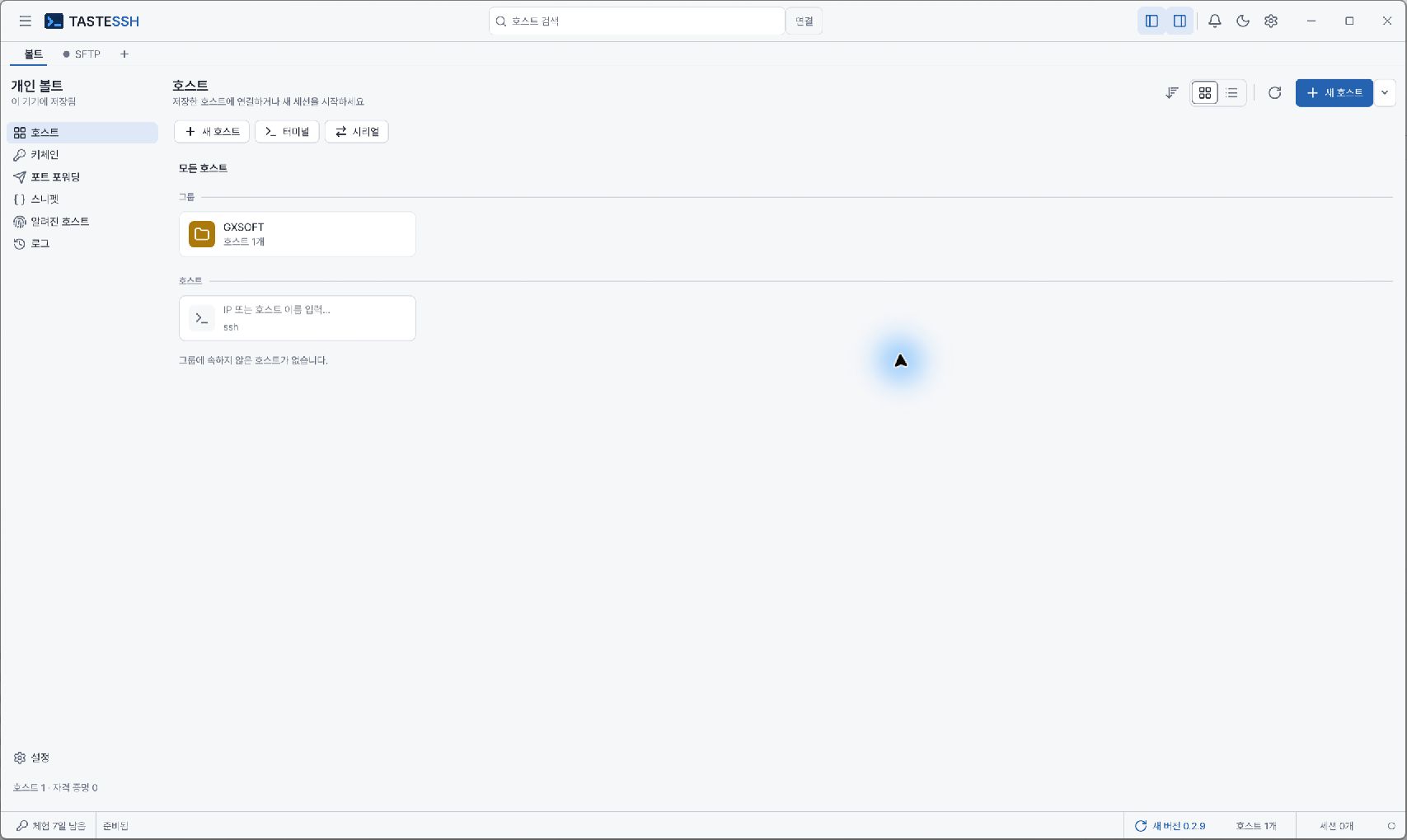
A native SSH client that handles everything from host management to terminals and Jump Host connections in one window.

View download files

Other platforms and verification detailsBuy

All features for 14 days · no payment method · Signed by GXSOFT
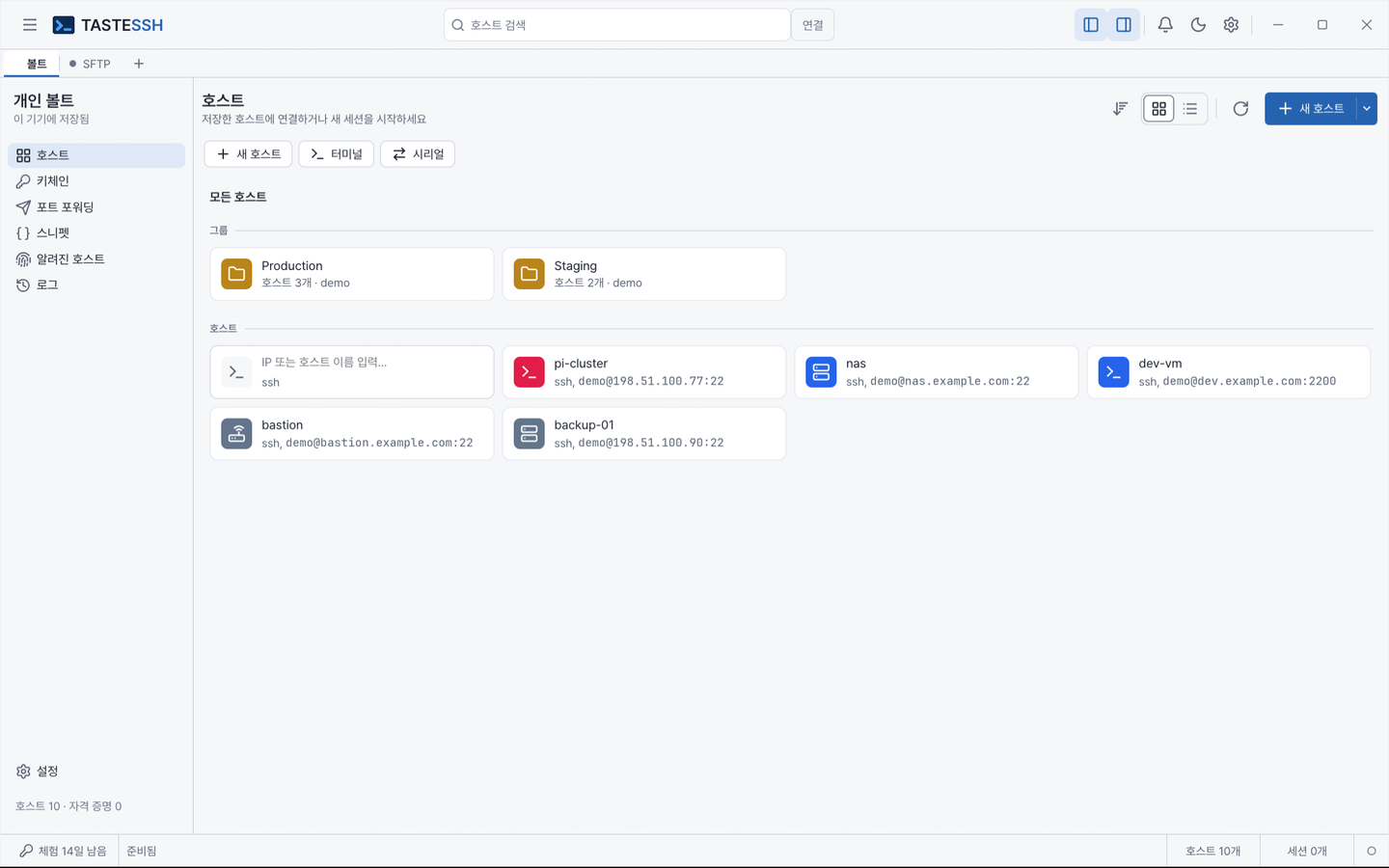
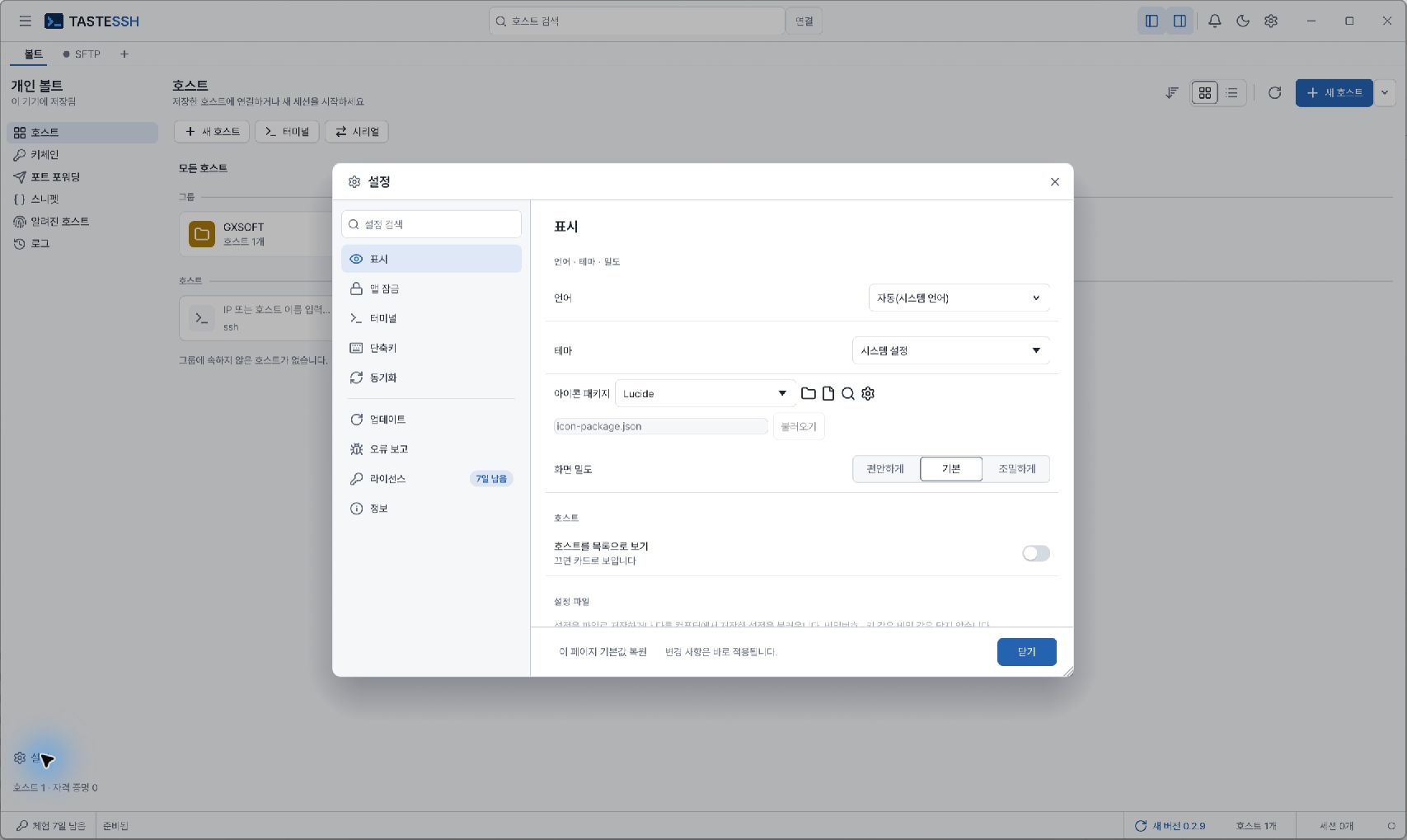
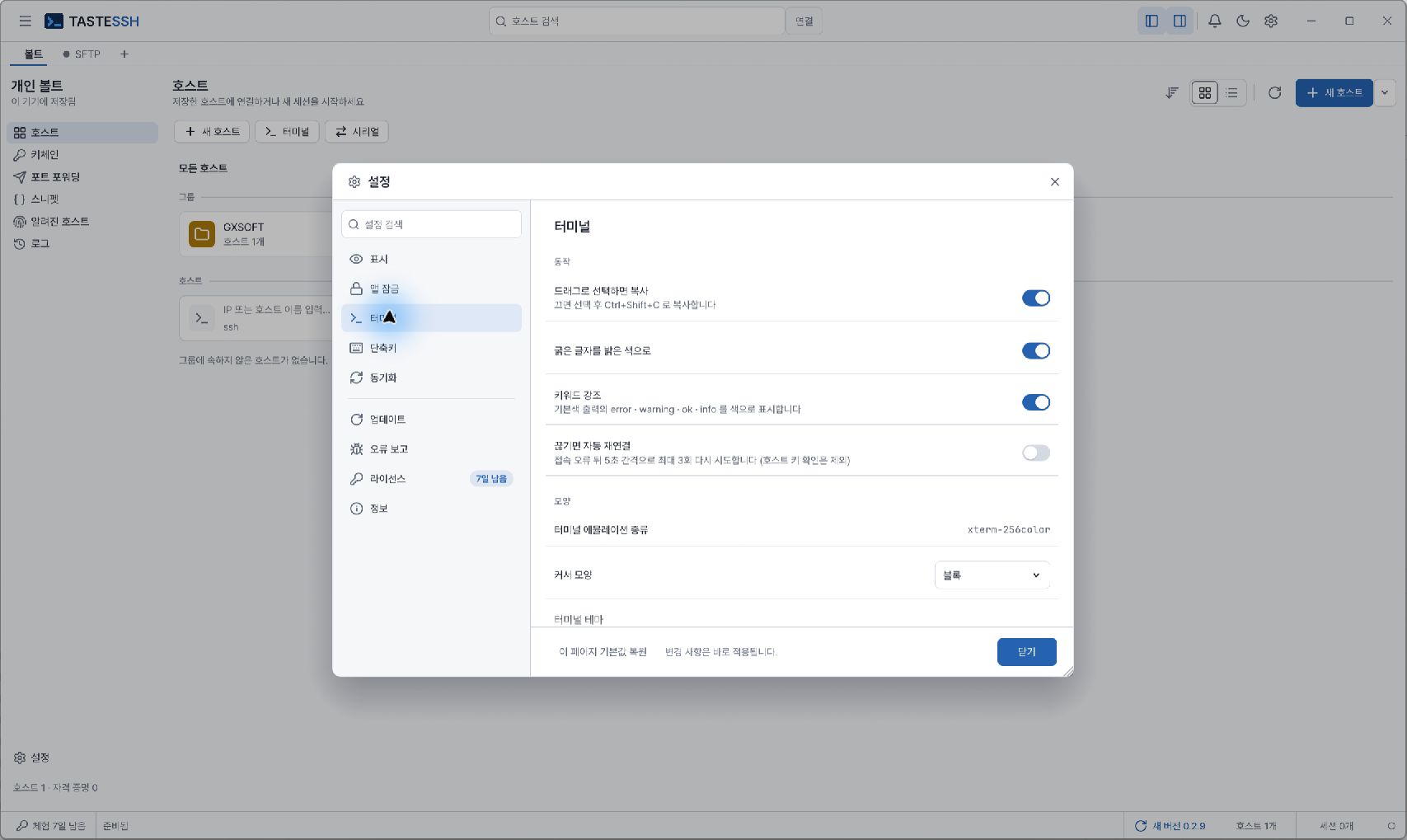
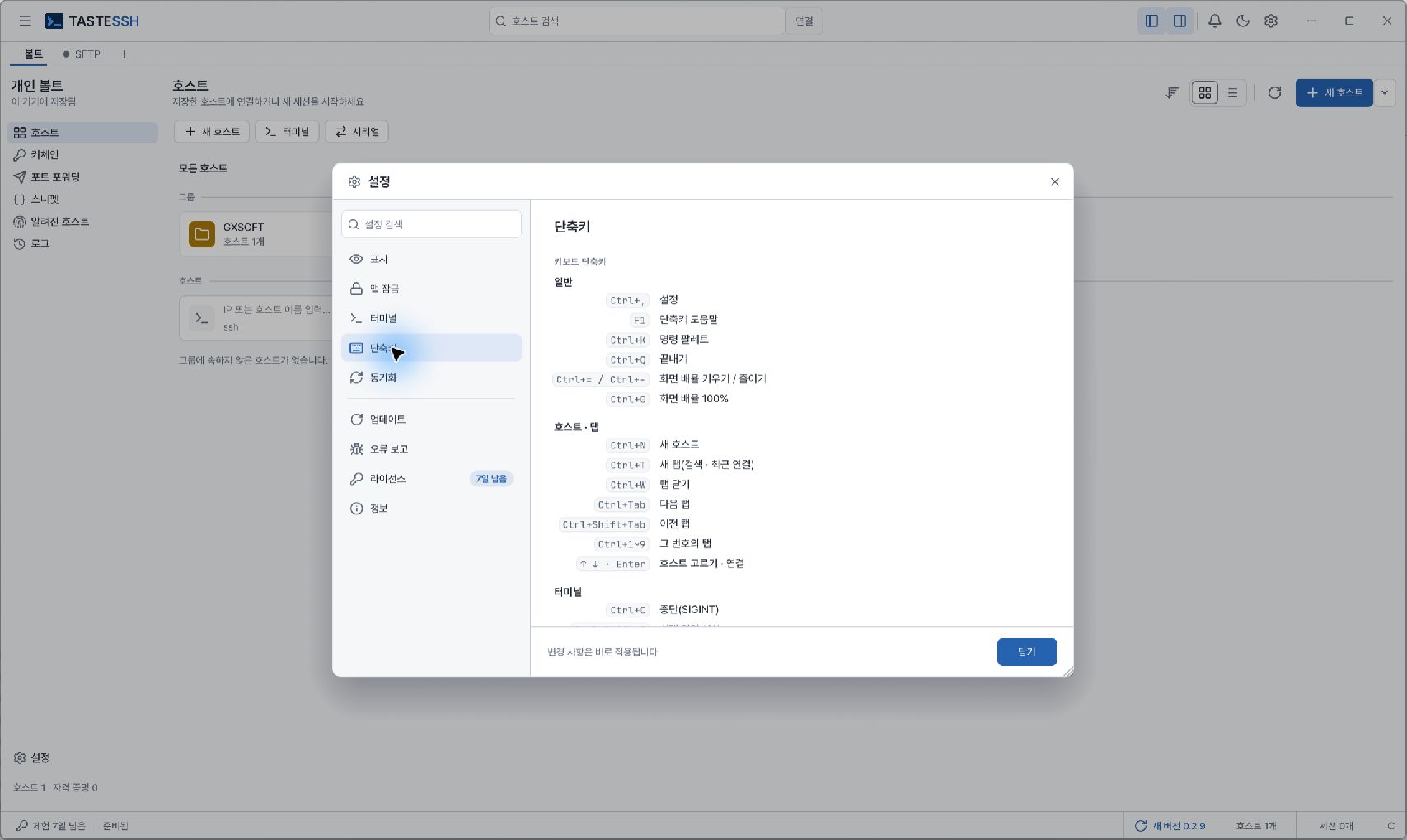
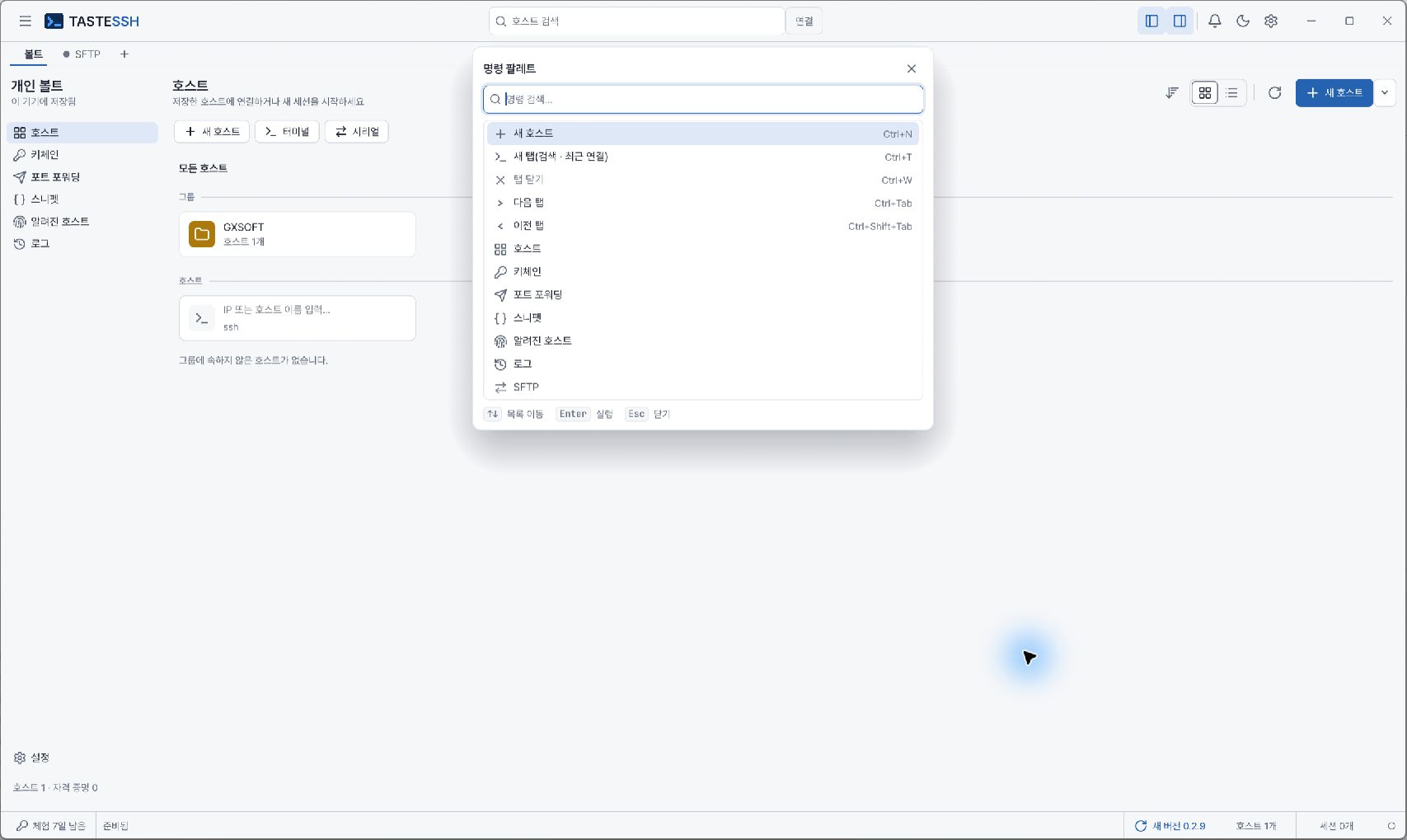
TASTESSH · Product screens 1TASTESSH · Product screens 2TASTESSH · Product screens 3TASTESSH · Product screens 4TASTESSH · Product screens 5TASTESSH · Product screens 6
1 / 6
Captured from the app. Select an image to see it at full size.
OverviewFeaturesDownloadDocsFeedbackReleased · improving116 downloads · Cheer 0

A stronger link between you and your servers

A Rust-native SSH client that handles direct and Jump Host chain connections, built on strict host key verification and your operating system's credential store. It runs without WebView or JavaScript screens.

  • Unfamiliar server keys are trusted only after you verify them, and changed keys are blocked before connecting.
  • Passwords and key passphrases stay in your operating system's credential store and are never written to config files.
  • Host, group, Identity, forwarding, and snippet details are validated before saving, so bad settings don't pile up.
  • Native screens drawn in Rust without WebView keep it lightweight to run.
Approved product visual for TASTESSH

What it does

Strict host key verification

New server keys aren't connected until you explicitly trust them, and connections are blocked if a key differs from the saved one.

Host search and registration

Search, select, and register hosts, and load saved group, Identity, forwarding, and snippet details.

OS credential storage

Passwords and key passphrases are stored in the OS keyring, and you can choose SSH Agent as an authentication method.

Jump Host chain connections

Direct connections and multi-hop Jump Host connections are handled the same way, with authentication kept separately at each hop.

Native terminal sessions

Terminal output, command input, window resizing, connection cancellation, and exit status are handled on native screens.

Session side tabs

Check related details in the Session, SFTP, Tunnel, Snippet, Serial, and Log tabs. Dedicated screens for some advanced features are in the works.

Opt-in session logs

Session records are kept only when you turn them on.

Command-line tool

Register hosts, save passwords, and connect from the command line too, to automate repetitive work.

Check the evidence right next to the files.

We only show the version, platform, file size, signature status, and SHA-256 verified in the current manifest.

Downloads

Use it for work like this.

  • Server operations and checks
  • Internal network access through a Jump Host
  • Managing connection details for many servers
  • Command-line connection automation

Coming from one of these?

Pick the program you use now to see what is the same and how to switch.

  • PuTTY alternative
  • Termius alternative
  • MobaXterm alternative
  • SecureCRT alternative
  • Xshell alternative

Learn more

  • Product docs
  • Official project
  • Marketplace
  • Public repository

Ideas & bug reports

Tell us about problems you hit in TASTESSH or features you'd like. Everyone can read them, and TASTEDEV posts the status and a reply.

Bug reportIdeaView all
  • 클라우드 디자인 개선하기Received
    IdeaCHOI YOUNG GU11 hours ago0.3.161
  • 새 탭에 터미널 기능 추가Received
    IdeaCHOI YOUNG GU4 days ago0.3.131
  • 작업 공간 - 끌어다 놓기 기능 누락 요소 개선Received
    IdeaCHOI YOUNG GU4 days ago0.3.131

Tools for other tasks.

View all products
TASTECODEEdit, build, debug and test Rust apps in one windowTASTESTUDIOFrom editing to remote tests and approved AI fixesTASTEETLMove data while you watch the valuesTASTECADComplex drawings, opened with easeTASTEREMOTEA remote desktop you run on your own serverTASTEGEORebuilding a GeoServer-compatible geospatial server in RustTASTEFILESJust the files you need, as fast as possible
TASTEFTPThe tidiest path for your files
TASTEMAILTake back control of your email
TASTEZIPPack faster, unpack safer

TASTESSH 0.3.17Published 2026-11-16

What changed in this release
  • “Compare SFTP folders…” can now compare subfolders, skip names such as .git or node_modules, and check same-size files with different times by content. Missing folders are created when sending.

What changed in this release

  • “Compare SFTP folders…” can now compare subfolders, skip names such as .git or node_modules, and check same-size files with different times by content. Missing folders are created when sending.
  • “Import hosts…” now also reads MobaXterm session files (.mxtsessions), SecureCRT settings XML and PuTTY .reg files. Only connection details and folders are imported, never passwords.
  • Snippet packages can now be nested (tastessh-cli snippets package-add --parent and package-move, up to 8 levels). Removing a package moves its snippets and sub-packages up one level.
  • Remote path completion now also suggests relative paths (./, ../ or plain names) when the shell reports its current folder (OSC 7).
  • Recordings can be paused with “Pause terminal recording” (output isn't saved meanwhile); the player can seek and “Export as text…”.
  • When a terminal to the same host is open, SFTP reuses its connection instead of asking for the password or MFA again; otherwise it connects as before.
  • On Windows, turn on “Also unlock with Windows Hello” in Settings › App lock to unlock with face, fingerprint or PIN (off by default; the password still works).
  • Workspace panel rows for new connections, monitoring and effects can now be dragged into panes, and Delete clears the workspace. New tabs can open a local terminal, and the cloud connection form was tidied up.
  • Vault › Snippets › My snippets can be filtered by package; “Manage packages…” creates, moves and deletes packages, and the snippet editor picks a package.
  • Vault auto-issued certificates in the keychain now show their remaining time, and “Get certificate now” in the edit dialog fetches a new one right away.
Full changelog on GitHub

Windows

Signed by GXSOFT3 packages

EXE

Setup wizard

x64 · 20.8 MB

Download

MSI

Windows Installer · for managed deployment

x64 · 29.9 MB

Download

ZIP

Extract and run

x64 · 38.1 MB

Download

Linux

Signed by GXSOFT7 packages

AppImage

Runs without installing

x64 · 32.8 MB

Download

AppImage

Runs without installing

arm64 · 33.0 MB

Download

DEB

Debian · Ubuntu

x64 · 25.3 MB

Download

DEB

Debian · Ubuntu

arm64 · 21.6 MB

Download

macOS

Signed by GXSOFT1 package

DMG

Disk image

arm64 · 31.8 MB

Download

Comments and questions

Share feedback, questions, or your experience with the product. For bug reports, please use support.

116 downloads
Cheer 0 Follow · 0Share on XShare on LinkedInShare on Facebook

No feedback yet. Be the first to leave a review.

Log in to leave feedback.

RPM

Fedora · RHEL · Rocky Linux

x64 · 25.2 MB

Download

TAR.GZ

Extract and run

x64 · 35.2 MB

Download

TAR.GZ

Extract and run

arm64 · 35.6 MB

Download