







EXE
Setup wizard
x64 · 16.5 MB
All productsDesktop tools
The tidiest path for your files
Manage FTP, FTPS and SFTP servers in connection tabs, with file transfers, queue controls, speed limits and error checks in one workspace.
Other platforms and verification detailsBuySFTP transfer speed benchmark
All features for 14 days · no payment method · Signed by GXSOFT
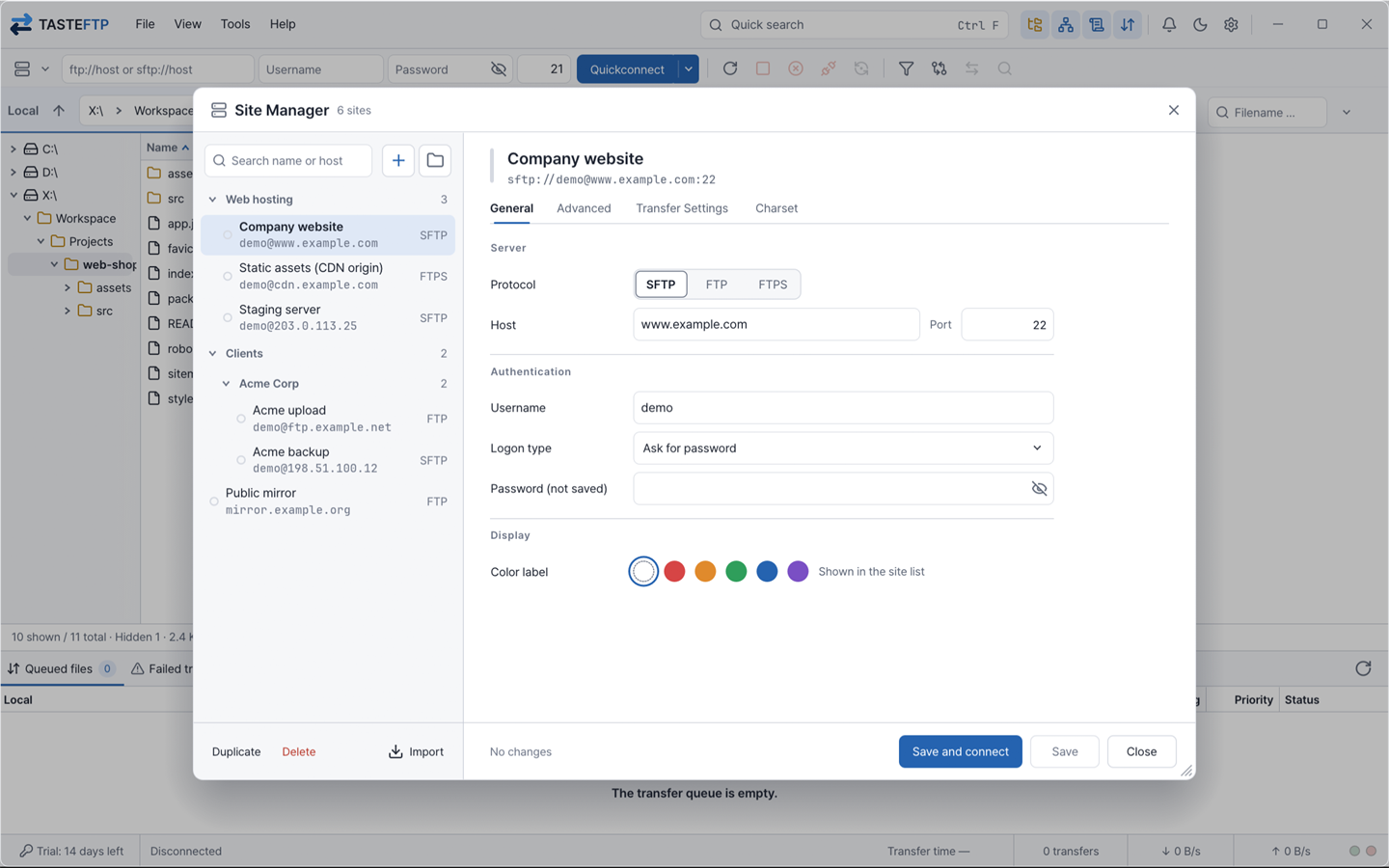
TASTEFTP is a Rust-based file transfer tool for browsing local and server files side by side and uploading or downloading them. Separate tabs organize FTP, explicit and implicit FTPS, and SFTP connections, with transfer queues and completed or failed states visible together. Site management, search, filters, directory comparison, remote editing and transfer limits form one workflow. Server compatibility and resume support must be checked for your connection environment.
Connect to FTP, explicit and implicit FTPS, and SFTP servers. Compatibility with each server product is still being verified in real environments.
Checks FTPS TLS certificates and SFTP SSH host keys, and doesn't proceed with unverified connections.
Each tab runs its connection, remote browsing, and logs independently, and dropped tabs reconnect with their settings intact.
The transfer list is saved to disk and restored when the app is restarted. Resume interrupted files only after checking support for the server and transfer method. Restoring the queue and reconnecting to the server are separate steps.
Save frequently used servers as sites, with passwords kept in your operating system's credential store.
Quickly find changed files with remote file search, filename filters and filter sets, and local-to-remote directory comparison.
Open remote files in your local editor, and they're uploaded back to the server when you save.
Follow symbolic links and change remote file permissions with chmod.
Review queued files, failed transfers and successful transfers separately. Manage pause, resume and priority for selected items, distinguishing full-queue processing from running only selected items.
Set upload and download speed limits separately. Adjust transfer load to server and network conditions; raising a limit does not always make transfers faster.
Explore other folders while files transfer. Distinguish the paths already registered in the queue from the folder currently displayed.
Search connection and transfer messages and copy or save relevant records. Passwords and other sensitive information are masked; review server addresses, accounts and file paths before sharing logs externally.
Explore packs and customize colors and icons.
We only show the version, platform, file size, signature status, and SHA-256 verified in the current manifest.
Pick the program you use now to see what is the same and how to switch.
Tell us about problems you hit in TASTEFTP or features you'd like. Everyone can read them, and TASTEDEV posts the status and a reply.
Nothing has been posted yet.
Sign in to use these tools. Edits are not automatically applied to the app.
TASTEFTP 0.3.6Published 2026-11-15
Disk image
arm64 · 24.4 MB
Share feedback, questions, or your experience with the product. For bug reports, please use support.
Log in to leave feedback.
Fedora · RHEL · Rocky Linux
x64 · 19.8 MB
Extract and run
x64 · 27.4 MB
Extract and run
arm64 · 27.7 MB
No feedback yet. Be the first to leave a review.