ProductsDesktop toolsTASTECADDrawing reviewTASTEFILESFile managementTASTEFTPFile transferTASTESSHRemote workspaceTASTEZIPCompression and extractionTASTEWINMFile managementDeveloper toolsTASTECODERust integrated development environmentTASTESTUDIOIntegrated development and test environmentTASTEETLData integration (ETL)ServersTASTEREMOTERemote desktop serverTASTEGEOGeospatial serverTASTEMAILMail workspaceInvestingTASTESTOCKStock auto-trading desktop appGet startedDownloadsDocumentationBuyAll products
Marketplace
News
TechNewsToday's dev newsDeveloper docsProgramming languagesRustTypeScriptJavaScriptPythonGoC#JavaCC++KotlinDartWeb front-end frameworksNext.jsReactVue.js · NuxtSvelteKitAngularServer frameworksSpring BootDjangoFastAPIASP.NET CoreNestJS · ExpressApp & desktop frameworksTauriFlutterReact NativeElectronAlgorithmsAlgorithm basicsCore algorithmsAdvanced algorithmsPractical algorithms
CommunityProjectsDevelopment logsPromptsAI tool issuesShowcaseCommunity guide
Work with usTech transferWebsite buildDesktop app buildRelease and payment pipelineSales partnerContact
ServicesRemote desktopCustom installer packages
TASTEDEV
Products

Desktop tools

TASTECADComplex drawings, opened with easeTASTEFILESJust the files you need, as fast as possibleTASTEFTPThe tidiest path for your filesTASTESSHA stronger link between you and your serversTASTEZIPPack faster, unpack saferTASTEWINMA keyboard-first file manager with two panes

Developer tools

TASTECODEEdit, build, debug and test Rust apps in one windowTASTESTUDIOFrom editing to remote tests and approved AI fixesTASTEETLMove data while you watch the values

Servers

TASTEREMOTEA remote desktop you run on your own serverTASTEGEORebuilding a GeoServer-compatible geospatial server in RustTASTEMAILTake back control of your email

Investing

TASTESTOCKStock auto-trading that follows the rules you set: when, and what

Get started

DownloadsLatest builds of every productDocsHow to use each productBuySubscriptions and perpetual licencesAll productsEvery product at a glance
All products
MarketplaceNews
Tech

News

Today's dev newsOfficial announcements on languages, frameworks, GitHub and AIDeveloper docsGuides to languages, frameworks and algorithms

Programming languages

RustTypeScriptJavaScriptPythonGoC#JavaCC++KotlinDart

Frameworks

Web front-end frameworksNext.jsReactVue.js · NuxtSvelteKitAngular
Server frameworksSpring BootDjangoFastAPIASP.NET CoreNestJS · Express
App & desktop frameworksTauriFlutterReact NativeElectron

Algorithms

Algorithm basicsComplexity analysis · Sorting · Searching · Basic data structures · Trees and heapsCore algorithmsGraph traversal · Shortest paths & minimum spanning trees · Dynamic programming · Greedy algorithms · Divide and conquer · BacktrackingAdvanced algorithmsString algorithms · Math and number theory · Bit manipulation · Segment trees · Union-findPractical algorithmsCoding interview strategy · LRU cache · Rate limiting · Consistent hashing
All development docs
Community
ProjectsDiscover builders and their workDevelopment logsDecisions and lessons learnedPromptsReusable instructionsAI tool issuesProblems and workarounds for Claude, Codex, GeminiShowcaseFinished resultsCommunity guideHow we build in the open
Work with us
Tech transferNative apps in Rust and eguiWebsite build10 languages, accounts, docs and downloadsDesktop app buildRust and egui, no WebViewRelease and payment pipelineSigning, MSI, deb, rpm, AppImage, hashesSales partnerRecommend us and earn 30%ContactBuilds, partnerships and investment
Services
Remote desktopReach your computer from a browserCustom installer packagesOnly the features you need, settings preloaded
Buy
EN
한국어EnglishDeutschEspañolFrançaisItalianoPortuguês (Brasil)日本語简体中文繁體中文
Log in
Log in
TASTEDEV

From small tools to better development.

support@tastedev.netSupport TASTEDEV
ProductsProduct lineupBuyDocsDownloadsMarketplaceSupport
CommunityProjectsDevelopment logsPromptsAI tool issuesShowcase
PoliciesAbout usPrivacy policyTerms of serviceSubscription termsRefund policyCommunity guidelines
AccountLog inSign up
Visitors
Today
Yesterday
Total views
Company
GXSOFT
Representative
CHOI YOUNG GU
Business registration number
853-44-00368
Address
9F V24, 351 Gyeongin-ro, Michuhol-gu, Incheon, Republic of Korea
Phone
+82-10-4404-1523
Email
whitecalvin@tastedev.net
Privacy officer
CHOI YOUNG GU

© 2026 TASTEDEVProduct information is based on verified development sources.Released · improving

TASTESSHguide
Installation and first launchInterface and menusHosts, groups and vaultsAuthentication, private keys and host keysTerminals and connection tabsWorkspaces and tab groupsServer monitoringSFTP browsing and file transfersPort forwarding and snippetsLocal terminals and serial connectionsLogs and synchronizationSettings, appearance and securityUpdates and licencesShortcuts and troubleshootingCommand line and advanced managementSupported scope and precautions

TASTESSH guide

Updates and licences

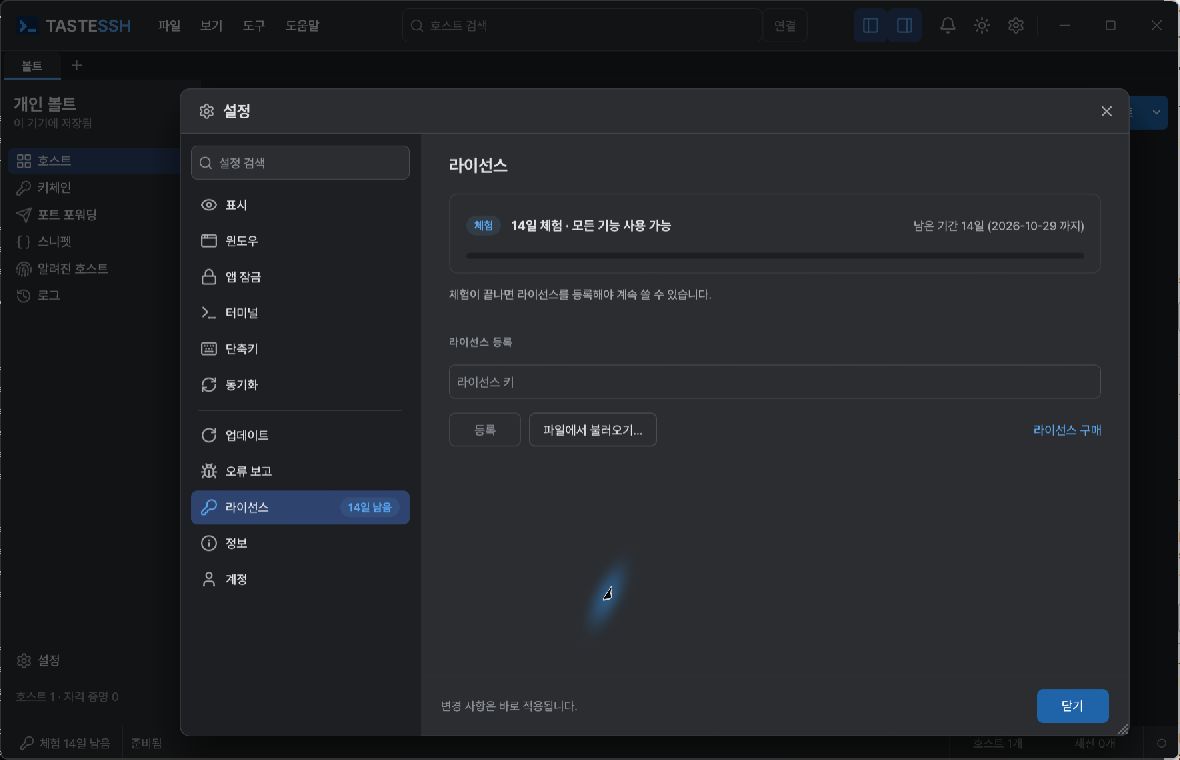
Trial state and empty licence-registration fields in an isolated example environment

Days remaining and dates in screenshots are examples at capture time. Check your own app and official guidance for actual conditions/state.

Registering and removing licences

Prepare official purchase/issuance guidance and a licence or registration code matching your product. See Pricing.

  1. Check trial/registration state and dates in Settings → Licence.
  2. Use the indicated licence input or Load from file. If online registration is offered, use the code from official guidance.
  3. Check the result, product and usage scope. On failure, inspect code/file format, product match, expiry and the on-screen error, then contact support.
  4. Read the confirmation before removing a licence; distinguish this from deleting files or hosts.

The relevant screen governs restrictions after trials or according to licence status. This document does not fix prices, trial periods or device counts. Do not publish licence numbers, registration codes or installation identifiers. Do not assume an online-theme account provides product usage entitlement.

Safely finish sessions/transfers before updating. The expected result is the new version in About after installation; a completed download alone does not prove successful installation.

Updating

  1. Check open files and remote work state.
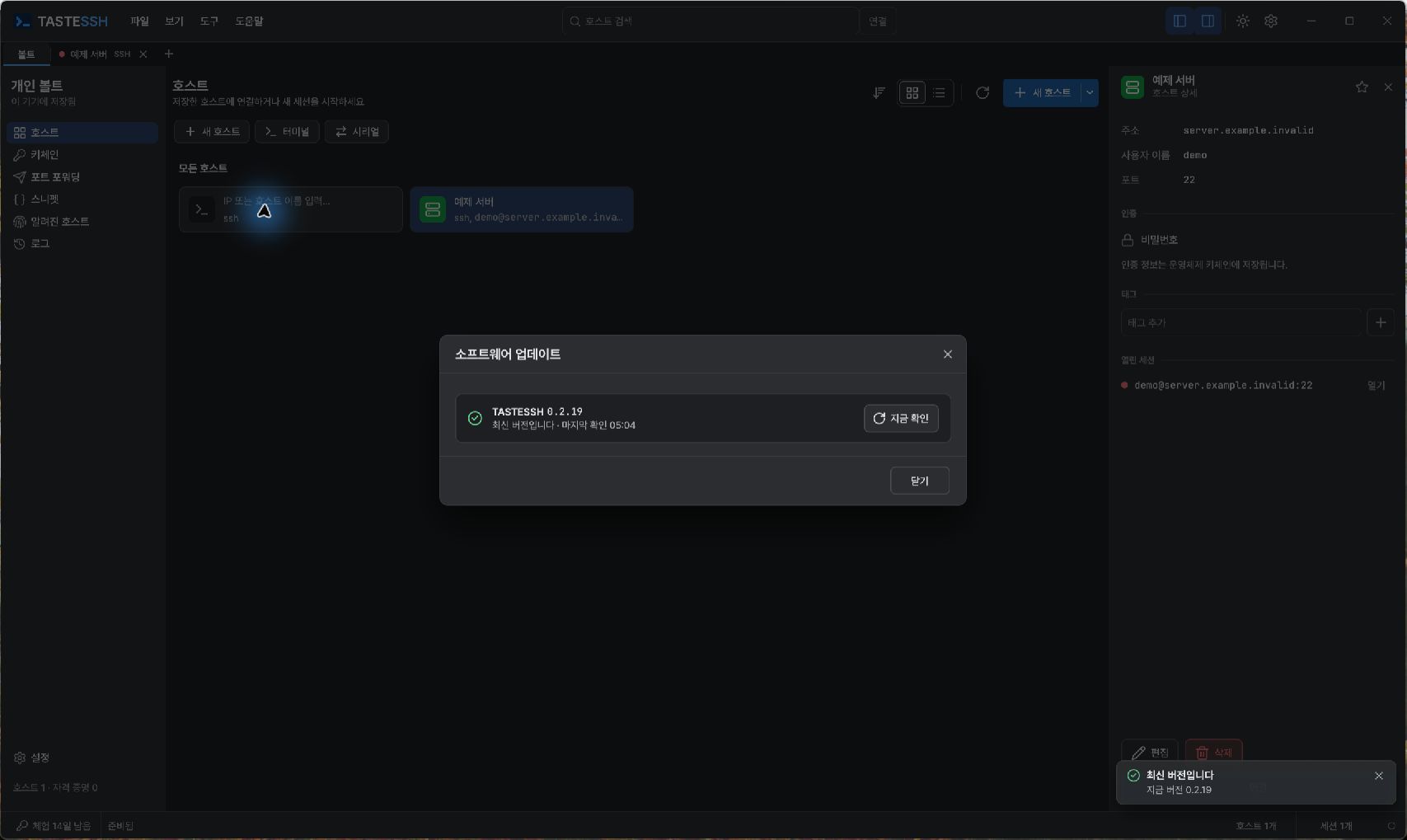
  2. Open Software Update through Tools → Check for updates or the command palette. Opening starts checking. Adjust automatic checks in Tools → Settings → Updates.
  3. Install following update guidance. Closing the app or permission approval may be required.
  4. Relaunch and verify the version in Settings → About.

The latest version is checked again just before installation; update failures may be reported at the next launch. Do not assume a new version installed if a failure notice appears. Check the installed version/error and retry only necessary stages following official guidance.

Update availability varies by OS, installation method and distribution channel. If in-app updating is unavailable, consult the website's guidance for your installation method.

The Tools-menu path, separate update window and Close behavior were checked in light/dark screens of the 0.2.19 distribution. The screenshots below illustrate an available-update notice, not successful download/installation. Check the actual app for dates, check times and update availability.
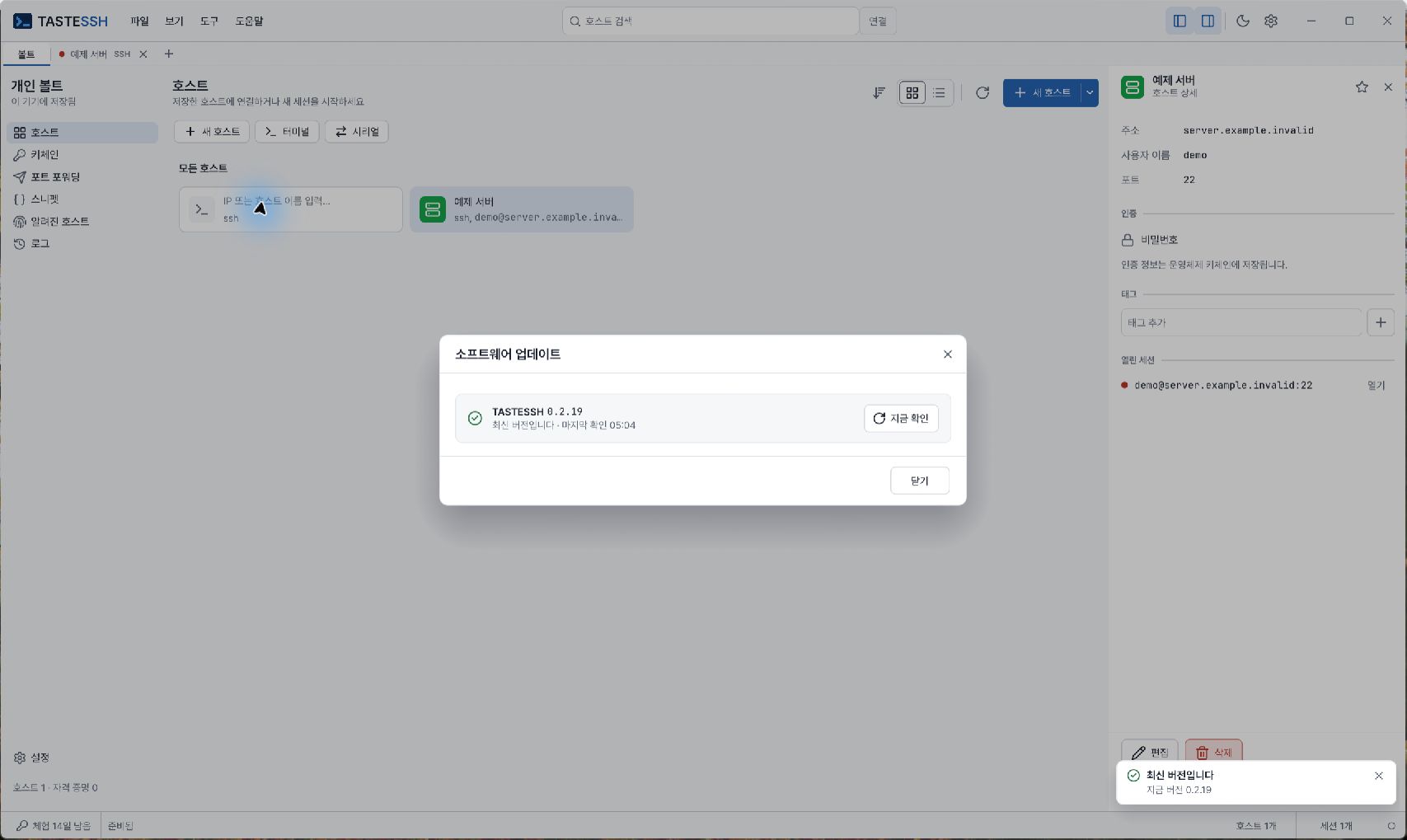
Light 0.2.19 Software Update window
Dark 0.2.19 Software Update window

Checks after changing version

After installing a new version, check:

  • The About version and that release's changes.
  • Locations, defaults and availability conditions of new features.
  • Security settings, trusted host keys and error-reporting consent.
  • App theme, terminal theme, scale and changed shortcuts.
  • Access to key hosts and required transfer/synchronization settings.

If this guide differs from your installed version, prioritize guidance for that version. For new undocumented features, read app descriptions and release notes. Planned features are distinguished from those actually available.

PreviousSettings, appearance and securityNextShortcuts and troubleshooting

On this page

  1. Registering and removing licences
  2. Updating
  3. Checks after changing version
Suggest an edit